
Setup Metrc Retail ID Label Printing
Printing Metrc Retail ID Labels with Finished Goods Workflow
REQUIREMENTS: This integration overview explains how to set up Retail ID label printing after:
- Product packages and Retail IDs are properly configured in Metrc
- QRlogix Software is installed
- Metrc profile created in QRlogix Software
- Printer driver is installed and set up correctly
- Printer is calibrated for correct label size and print method
- Printer is selected in QRlogix Software
Steps 2-6 are completed one time, during setup.
For assistance with QRlogix Software setup, please access the support resources at the link below or contact QRlogix directly.
 QRlogix Team
Integration Steps
Step 1: Download templates
Step 2: Select package
Step 3: Validate
Step 4: Confirm quantity and Print
QUICK START VIDEO: 3-Minute Setup: Metrc Retail ID Label Printing
Step 1: Download templates for your state and product categories
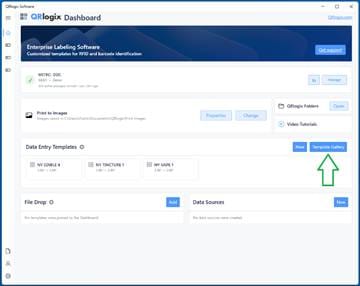
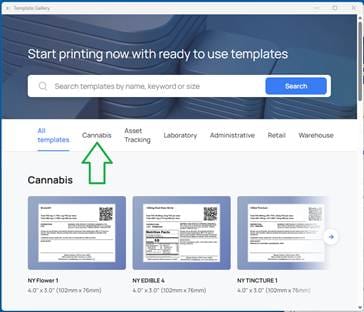
From the QRlogix Software interface, Click on Template gallery. Then from Categories, select Cannabis, then select your state.
Next, click on and review templates from the category you need. Label sizes can be edited in label designer.
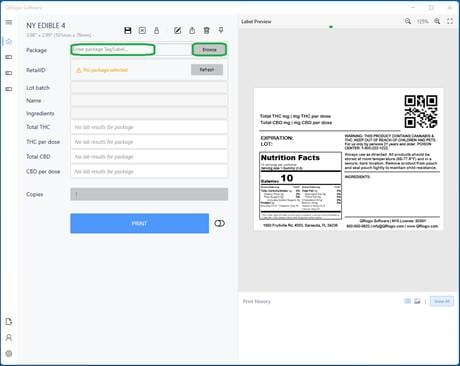
Step 2: Select package
From the Package selection field on your selected template, you have the choice of typing in a package ID directly or clicking the Browse button and searching by category, item name, ID, etc.
HINT: Type the last few characters of the product ID in the text box and the smart fields will list items ending with those numbers
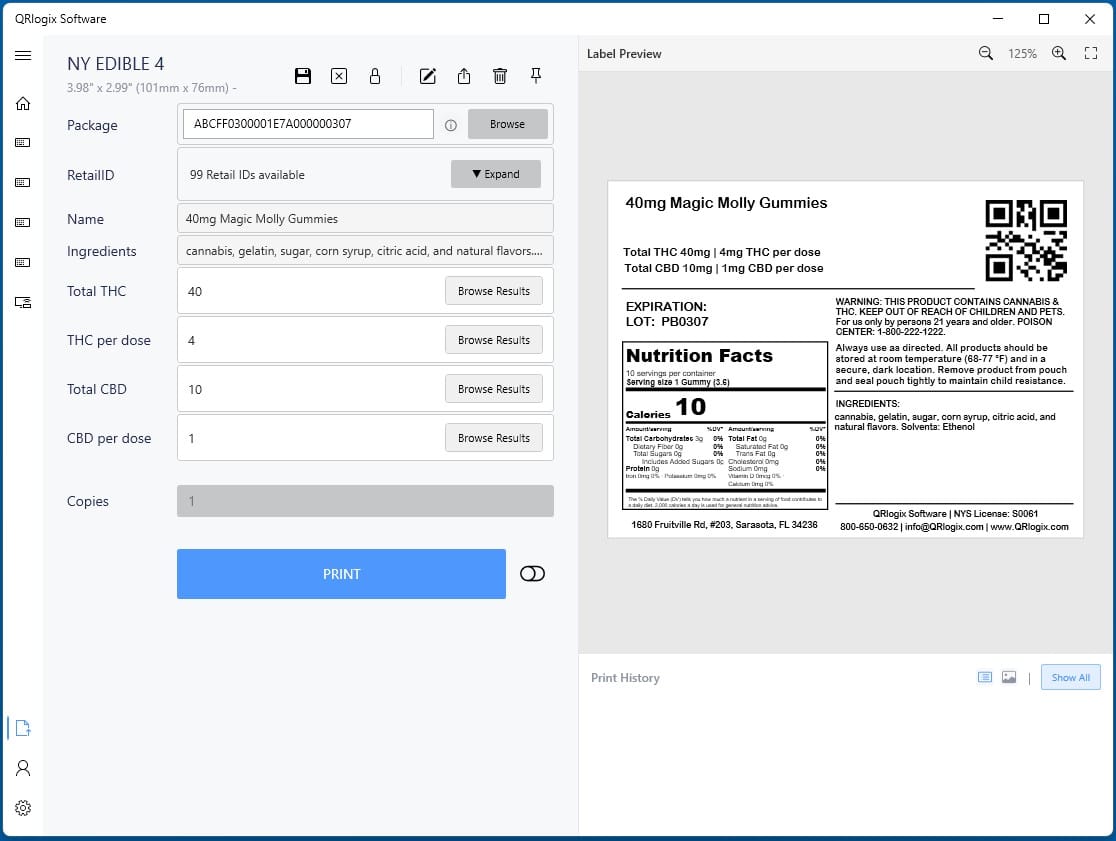
Once you find the package you want to print labels, select it and the Metrc data will automatically pull into the template and populate the fields and label data.
Step 3: Validate data
A. Generate Retail ID’s if needed
B. Review and confirm lab results
C. Review data shown on label print preview
Step 4: Print
Confirm the quantity of Retail IDs labels you want to print, then click Print.
A unique, serialized Retail ID barcode will be printed on each label.
For more information, watch the Complete Overview of Metrc Retail ID Label Printing below:
QRlogix – Metrc Labeling Support
More support Resources:
https://support.qrlogix.com/metrc/
How to Get Support:
https://support.qrlogix.com/how-to-get-help/
QRlogix Software Support
Web Support
support.qrlogix.com
Email Support
Support@QRlogix.com
Phone Support
800-650-0632