
Setting up a Metrc Profile
To setup a Metrc Profile in QRlogix Software, click on the Setup on the dashboard.
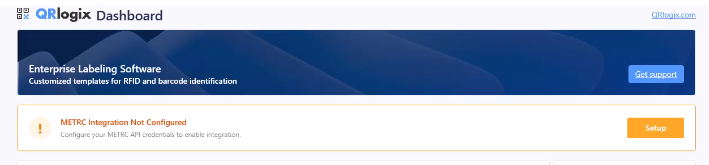
Next, following the instructions shown in the video tutorial below:
Once you have your profile setup, you are ready to download templates, and then access your Metrc inventory and print labels.
NEXT STEP:
Setup Metrc Retail ID Label Printing
Printing Metrc Retail ID Labels with Finished Goods Workflow REQUIREMENTS: This integration overview explains how to set up Retail ID label printing after: 1. Product packages and Retail IDs are properly configured in Metrc. 2. QRlogix Software is installed 3. Metrc profile created in QRlogix Software 4. Printer driver is
 David Carson
For a detailed overview of Metrc integration with QRlogix Software, view the video below.
NEXT STEPS:
Setup Metrc Retail ID Label Printing
Printing Metrc Retail ID Labels with Finished Goods Workflow REQUIREMENTS: This integration overview explains how to set up Retail ID label printing after: 1. Product packages and Retail IDs are properly configured in Metrc. 2. QRlogix Software is installed 3. Metrc profile created in QRlogix Software 4. Printer driver is
 David Carson
For support with QRlogix Software, visit support.qrlogix.com
How to Get Help
Multiple ways to get support for QRlogix Software, including phone, email, video tutorials, user manuals, and in-app resources.
 QRlogix Team